Distance Learning + Accessibility Compliance
Close the gap between LMS content and accessibility regulations now in effect.
PDF OCR Studio Pro by Rontechmedia ED Division
PDF OCR Studio gives all users, online instructors, distance learning teams, instructional designers, LMS administrators, academic institutions, workforce programs, and accessibility teams a browser-based workspace for turning academic digital class content into searchable, readable, LMS-ready, regulation-aware materials.
3 hoursRegister first, then preview the full app in a focused trial window.
$10/moRecurring Stripe membership for full application access.
LMS readyDesigned for Brightspace, Canvas, Moodle, Blackboard, and Ally-style workflows.
All users who need accessible documents
Distance learning and online instructors
Academic institutions and training programs
LMS, compliance, and accessibility teams
Built for the academic content problem schools are facing now
Distance learning programs often sit between older PDF handouts, scanned readings, LMS upload requirements, and accessibility expectations that are now operational requirements for digital instruction. This app gives teams one place to inspect, remediate, preview, and export class content before students encounter barriers.
OCR + searchable PDFsConvert scans into text-backed documents for reading, searching, export, and downstream accessibility review.
LMS readiness auditsReview files for common Brightspace, Canvas, Moodle, Blackboard, and Anthology Ally-style content issues.
Accessibility remediationSurface WCAG 2.1 AA, ADA Title II, Section 508, PDF/UA, OSCQR, contrast, heading, metadata, and reading-order concerns.
Student viewPreview content with reading supports, contrast modes, dyslexia-friendly settings, ruler tools, and text-to-speech.
Instructional content toolsCreate fillable PDFs, add signatures, build accessible lessons, generate captions, fix PowerPoint issues, and audit images.
Math and media supportDetect equations, graphs, charts, missing descriptions, caption gaps, and export plain-language reports.
 OCR scan preview
See The Platform Before You Join
A complete PDF accessibility workspace, not a mystery purchase.
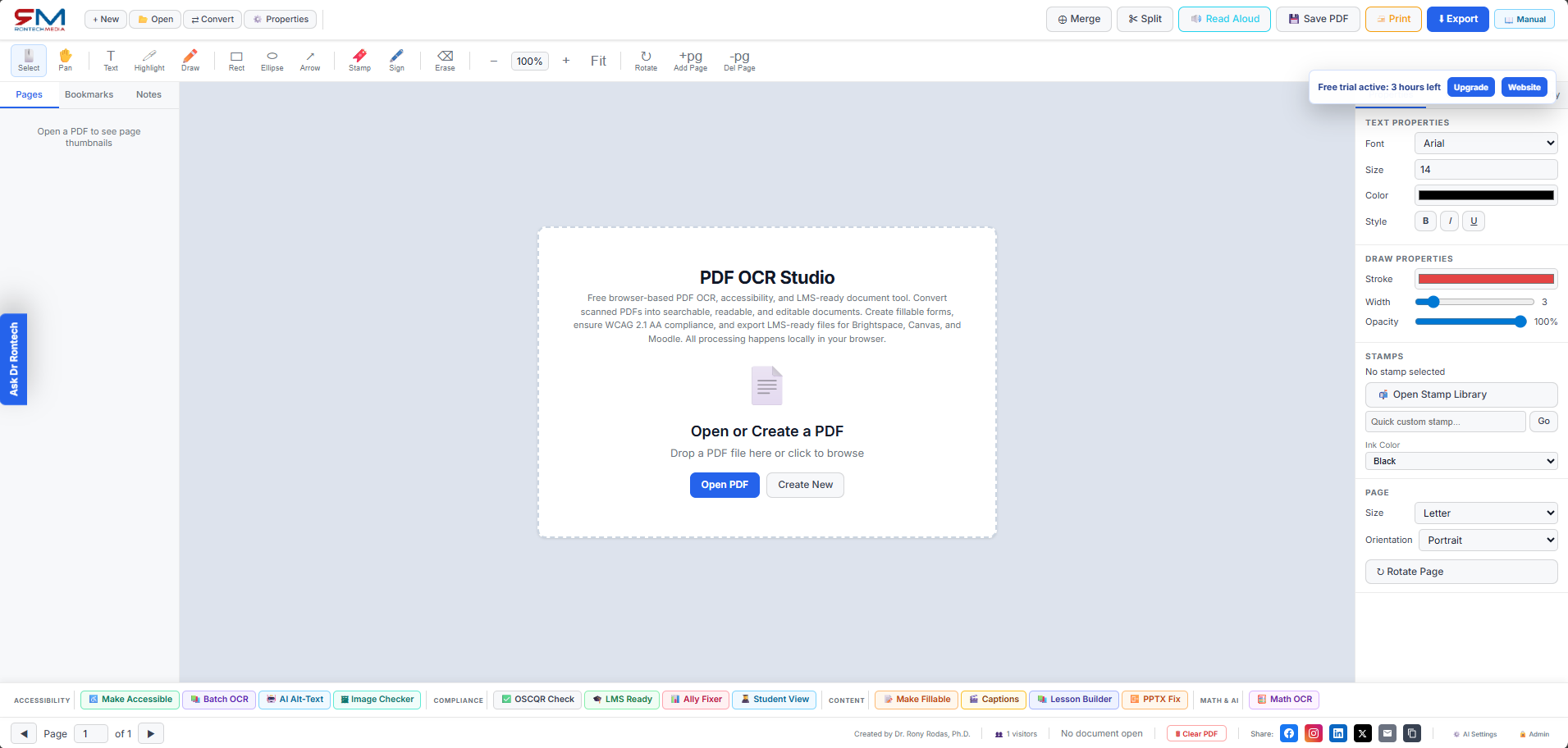
Users can see the actual application interface before starting the trial or membership. The workspace brings document opening, OCR, accessibility checks, LMS readiness, captioning, lesson building, fillable forms, student view, reports, and export tools into one organized platform.
1
Add your documentsOpen a PDF, create a new file, or bring in instructional materials that need OCR, accessibility review, or LMS preparation.
2
Select the function you needChoose Make Accessible, LMS Ready, AI Alt-Text, Student View, Captions, Fillable Forms, Math OCR, or reports from the toolbars.
3
Review, fix, and exportRun checks, follow the guided results, preview the learner experience, then export a cleaner document or compliance report.
Academic distance learning features at a glance
The main application highlights the workflows schools need for online instruction: document OCR, LMS upload readiness, accessibility evidence, content repair tools, learner preview, and reports that help teams communicate progress.
Compliance dashboardRun checks against practical academic content standards and generate reports for remediation planning.
Ally-style improvement flowImport findings, fix common course material issues, and understand where documents need instructor attention.
Accessible lesson builderDraft structured lessons with objectives, materials, activities, checks for understanding, and inclusive design prompts.
Caption and media guardReview caption readiness and generate SRT-style caption text for academic video workflows.
PowerPoint accessibilityInspect slide text, reading order, alt-text gaps, and presentation accessibility issues before upload.
Dr Rontech assistantUsers can ask the on-page assistant how to use OCR, LMS audits, trial access, memberships, privacy, and export tools.
Full platform functionality, organized for academic teams
PDF OCR Studio Pro keeps the platform broad without making the workflow feel scattered: instructors can prepare content, designers can check structure, LMS teams can confirm upload readiness, and accessibility offices can review evidence.
PDF creation and editingOpen, create, merge, split, rotate, annotate, stamp, sign, print, export, and save PDFs.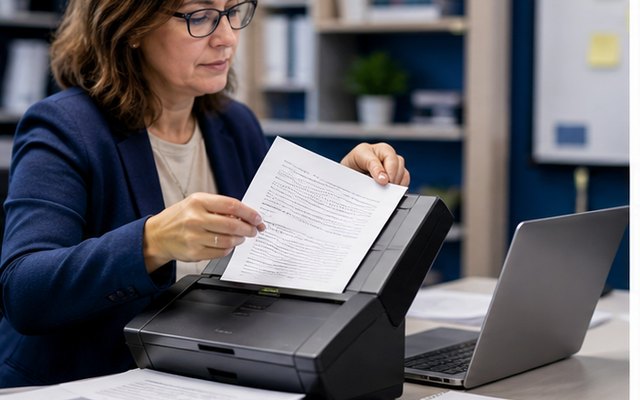
OCR and remediationOCR scanned pages, review extracted text, add headings, reading order, metadata, contrast checks, and accessible export reports.
LMS readinessRun Brightspace, Canvas, Moodle, Blackboard, OSCQR, and Ally-style reviews before content reaches students.
Student experiencePreview learner supports with read-aloud, contrast modes, dyslexia-friendly display, font sizing, ruler tools, and document navigation.
Instructional assetsCreate fillable forms, accessible lessons, captions, PowerPoint reviews, image checks, alt text, and batch OCR packages.
Math and mediaInspect equations, charts, graphs, image descriptions, caption gaps, and screen-reader-friendly explanations.
Reports and evidenceDownload compliance reports, VPAT-style notes, contrast reports, manifests, LMS readiness reports, and remediation summaries.
AdministrationTrack visitors, trial registrations, feature usage, referrers, devices, and Stripe events from the backend dashboard.
Why accessibility standards matter for distance education
Long-distance educators serve learners who may never meet an instructor in person, so digital course content becomes the classroom doorway. When PDFs, slides, captions, forms, images, math content, and LMS materials are not accessible, students using assistive technology can be blocked from readings, assignments, assessments, and required services.
Government enforcement around digital accessibility makes this more than a best practice. Academic institutions and public programs need defensible workflows for WCAG, ADA Title II, Section 508, PDF/UA, captioning, alternative text, document structure, and LMS readiness. PDF OCR Studio Pro helps teams find and repair barriers before course materials become a legal, instructional, or student-success problem.
Talk with Dr Rontech
Ask about the application, accessibility enforcement, ADA Title II, Section 508, LMS readiness, OCR, captions, alt text, student view, pricing, or how to start bringing course materials into compliance.
Register, use the 3-hour trial, then keep full access.
The front end now supports a 3-hour registered trial gate and a recurring membership call-to-action. The registration form captures name, email, role, institution, and intent so the admin dashboard can show who is trying the platform. For production security, connect the membership button to Stripe Checkout and verify active subscriptions with a webhook before granting permanent access.
Membership
$10
per month, recurring